
Tiered Pricing Table for WooCommerce offers six unique ways, with a bunch of customization for each of them, to show tiered pricing on your product page:
- Table
- Options (multiple styles)
- Blocks (multiple styles)
- Dropdown
- Horizontal table
- Tooltip
The plugin provides a way to customize any of the templates or rebuild them completely.
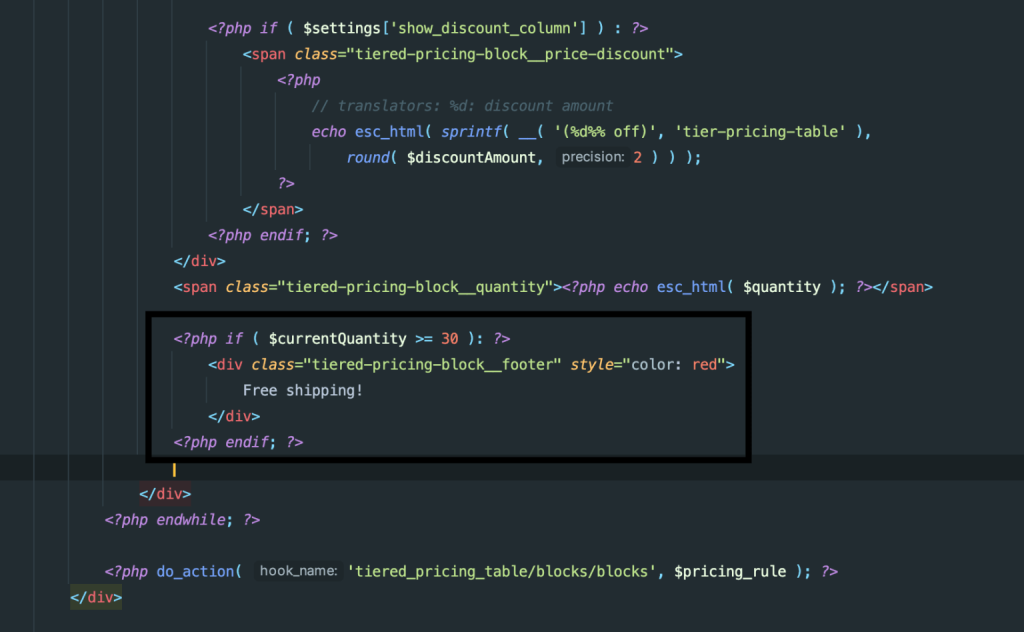
Let’s imagine you offer free shipping for items that are purchased in 30 or more pieces, and you want to add the “Free shipping” label to those blocks:
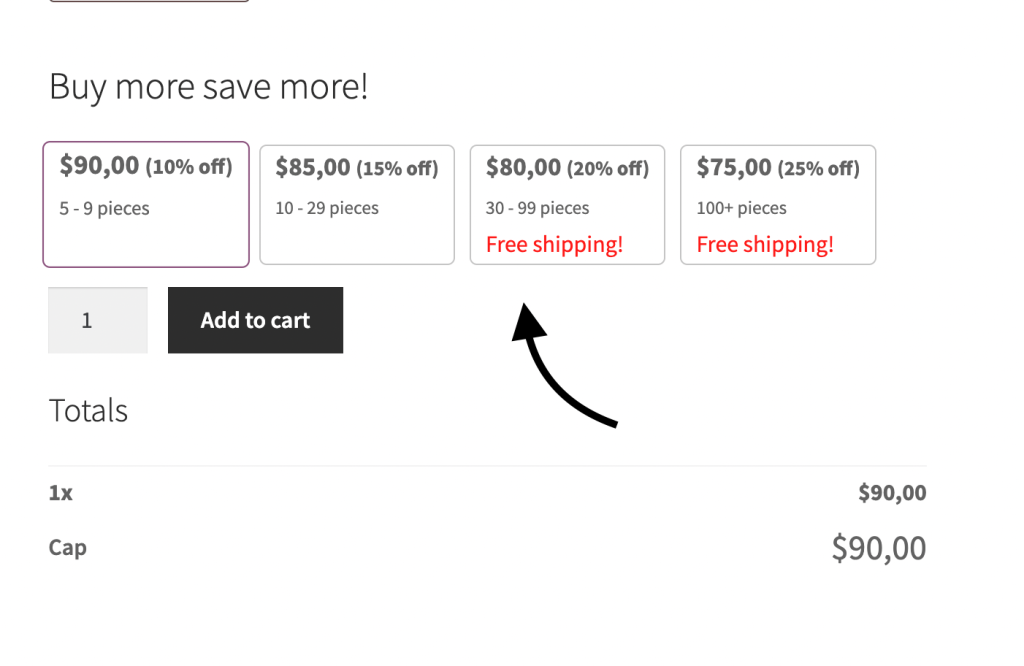
There are two ways you can customize the template rendered by the plugin:
1. Child theme (Preferred)
Like WooCommerce, the Tiered Pricing plugin allows you to override its templates in a child theme.
The plugin first checks if the template exists in your child theme; if not, the default one from the plugin is used.
Templates that can be overridden in this way are stored in the tiered-pricing-table/views/frontend directory (as we don’t expect you to override templates that are used in the admin area)
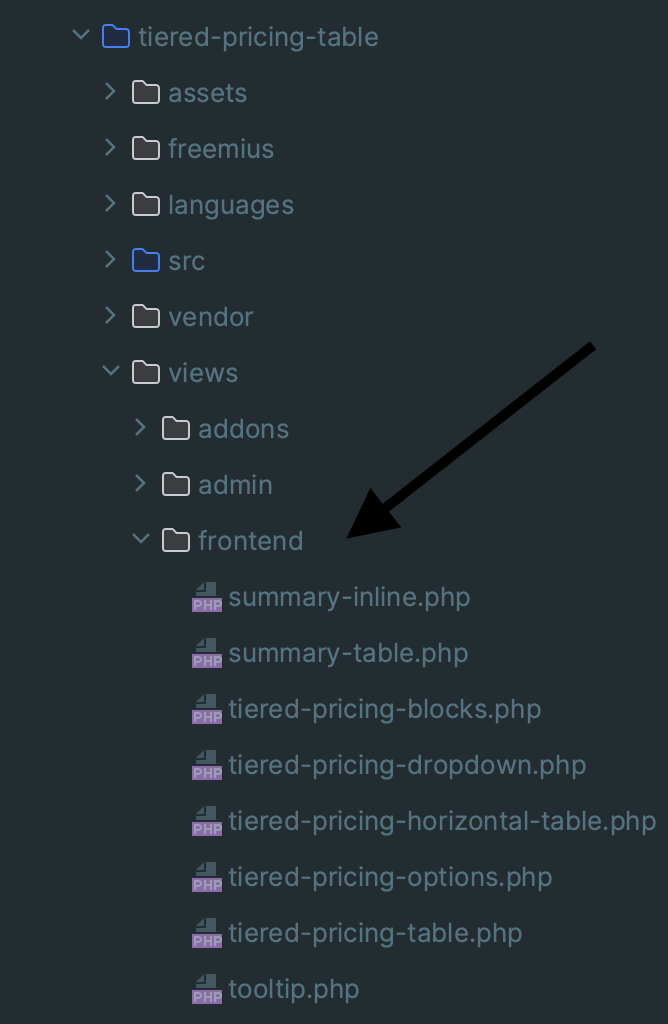
So, to override the template for pricing blocks, we have to copy the tiered-pricing-blocks.php file to the [Child theme]/tiered-pricing-table/ directory:
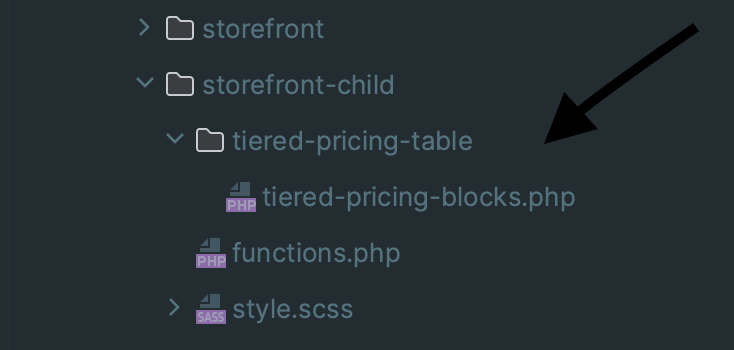
After that, we can safely modify the file with our customizations:
2. Template location filter
All templates used by the Tiered Pricing plugin are included via the FileManager.php class, which is located in the src/core directory. Besides checking if a template exists in a child theme, FileManager passes the location of each template through the “tiered_pricing_table/template/location” hook:
/**
	 * Locate template
	 *
	 * @param string $template
	 *
	 * @return string
	 */
	public function locateTemplate( $template ) {

		$file = $this->pluginDirectory . 'views/' . $template;

		if ( strpos( $template, 'frontend/' ) === 0 ) {

			$frontendTemplate = str_replace( 'frontend/', '', $template );
			$frontendFile     = locate_template( $this->themeDirectory . '/' . $frontendTemplate );

			if ( $frontendFile ) {
				$file = $frontendFile;
			}
		}

		return apply_filters( 'tiered_pricing_table/template/location', $file, $template );
}We can add a custom hook to modify templates with custom paths.
This can be useful for 3rd-party plugins when a child theme is unavailable.
Here is an example of code to replace the path of the tiered-pricing-blocks.php template:
	add_filter( 'tiered_pricing_table/template/location', function( $file, $template ) {
		// Check for specific template
		if ( $template === 'frontend/tiered-pricing-blocks.php' ) {
			return 'path_to_tiered-pricing-blocks.php';
		}

		return $file;
}, 10, 2 );Using this hook, you technically can replace templates that are used in the administration area, but we do not recommend doing that.