
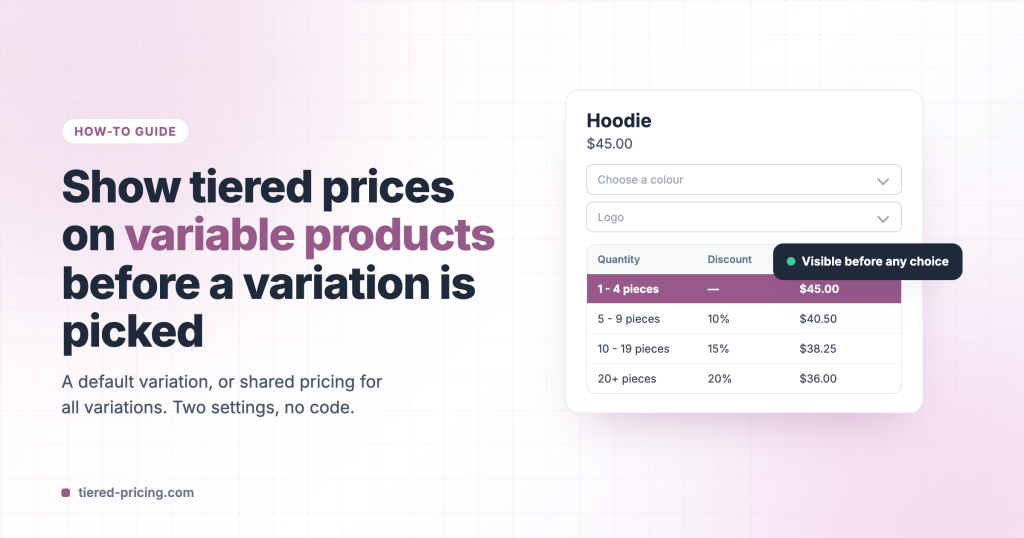
On a variable product every variation can have its own tiers, so Tiered Pricing Table for WooCommerce waits until the customer picks a variation before it knows which table to show. When your variations share the same prices, or you simply want the table on the page from the first second, one setting fixes it.
Option 1: preselect a variation in WooCommerce
WooCommerce can open the product with a variation already chosen. In the product editor go to Variations → Default Form Values, choose a value for each attribute and update the product. The variation is selected on load, so the price, the Add to cart button and the pricing table appear at once.
Use this when it is fine for the attribute dropdowns to start with a value.
Option 2: the plugin’s default variation
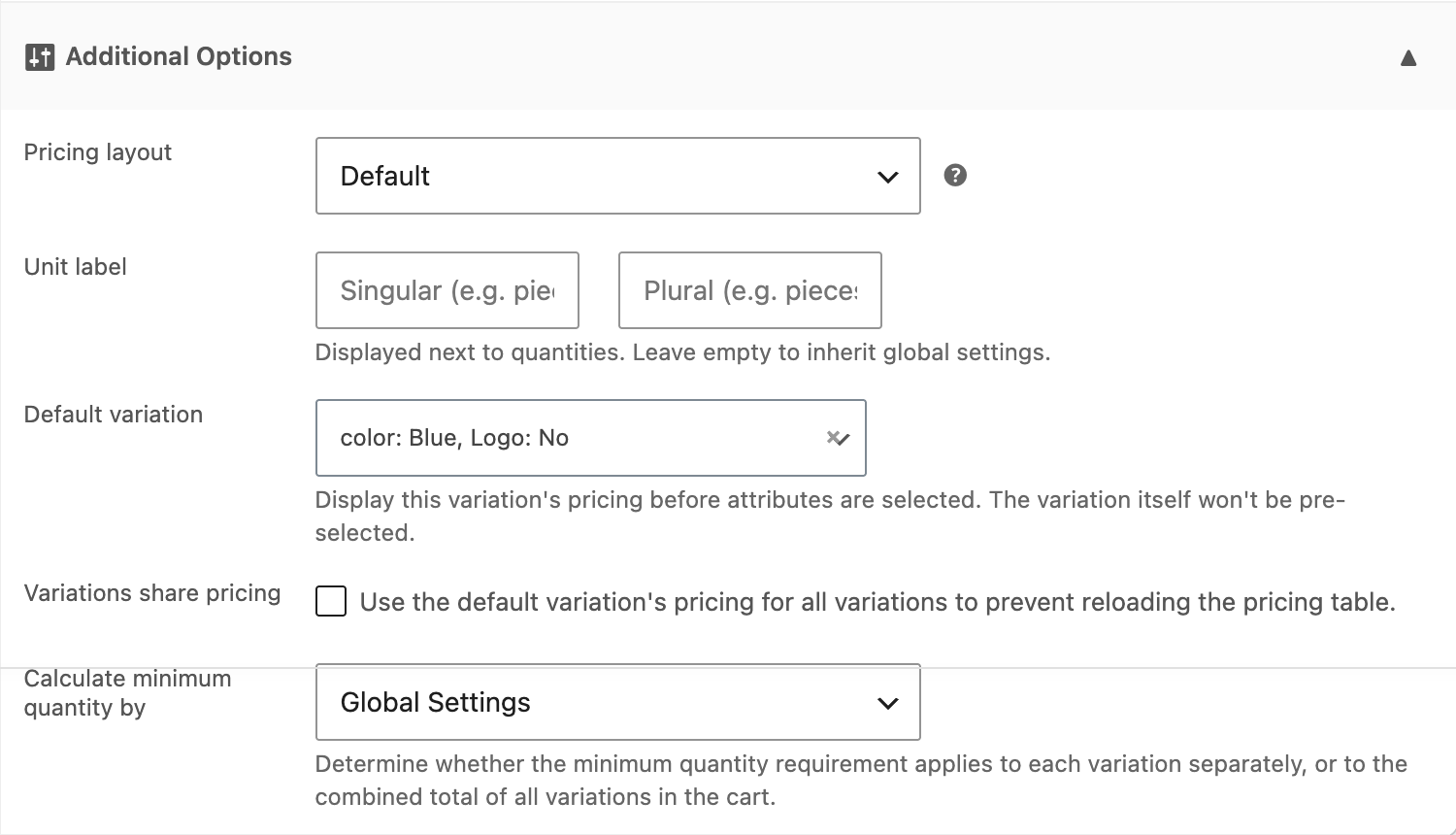
If the dropdowns should stay empty until the customer decides, tell the plugin which variation’s table to show in the meantime. Open the product’s Tiered Pricing tab, expand Additional Options and pick a variation under Default variation.
The table shows as soon as the page loads, with the dropdowns still empty. When the customer chooses a variation, the table switches to that variation’s tiers.
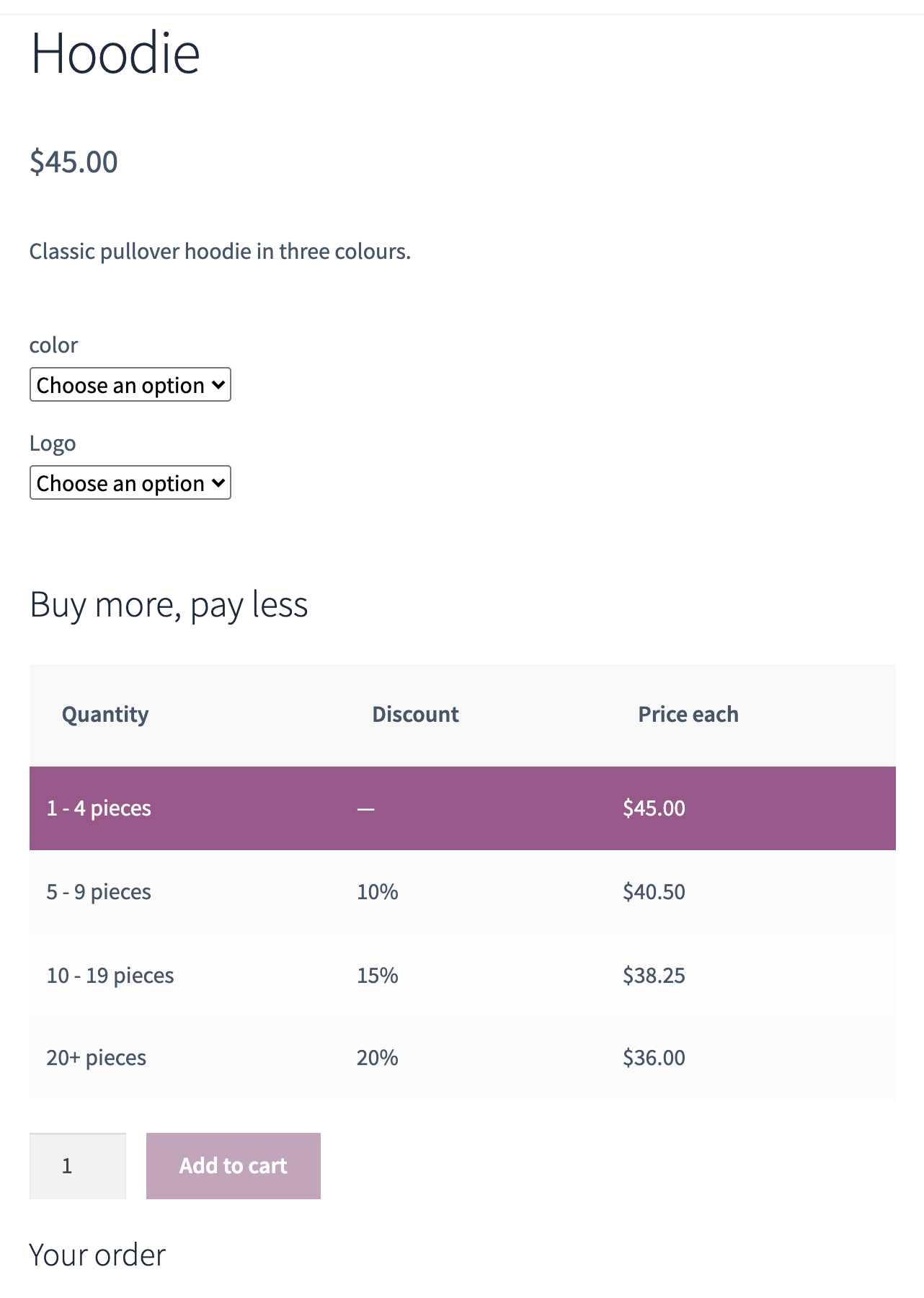
When every variation costs the same
Tick Variations share pricing next to the default variation. The plugin then keeps the default variation’s table for every choice instead of reloading it, which makes the page a little faster and avoids the table flashing on each change. A default variation is required for this option; any variation will do, since the prices are identical.
One set of tiers for all variations
Enter the tiers once on the parent product (the Tiered Pricing tab of the variable product). Variations without tiers of their own use the parent’s rules, so you do not have to repeat them on every variation.