
Tiered Pricing allows different variations to have unique pricing rules. That’s why, by default, the plugin requires users to select a variation (attributes) before the pricing for that specific variation can be displayed.
However, in some cases, all variations have the same price, and it makes sense to display the tiered pricing even if a specific variation has not been selected.
You can make the pricing appear immediately when the page loads in two ways:
1. Select a default variation
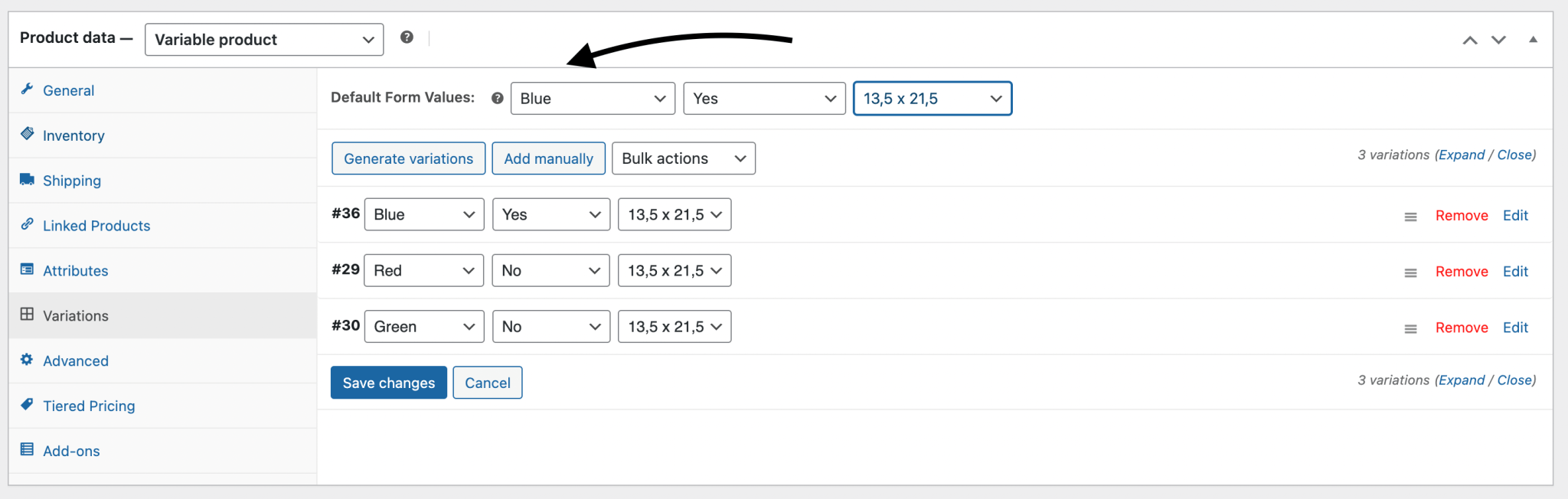
Choose default form values if you want a specific variation to be selected automatically when a user visits the product page. This also enables the Add to Cart button to appear automatically on variable product pages.
The attributes will be preselected when the page loads, and the tiered pricing will be displayed immediately.
https://woo.com/document/variable-product/#setting-defaults
2. Manually choose a variation in the plugin settings
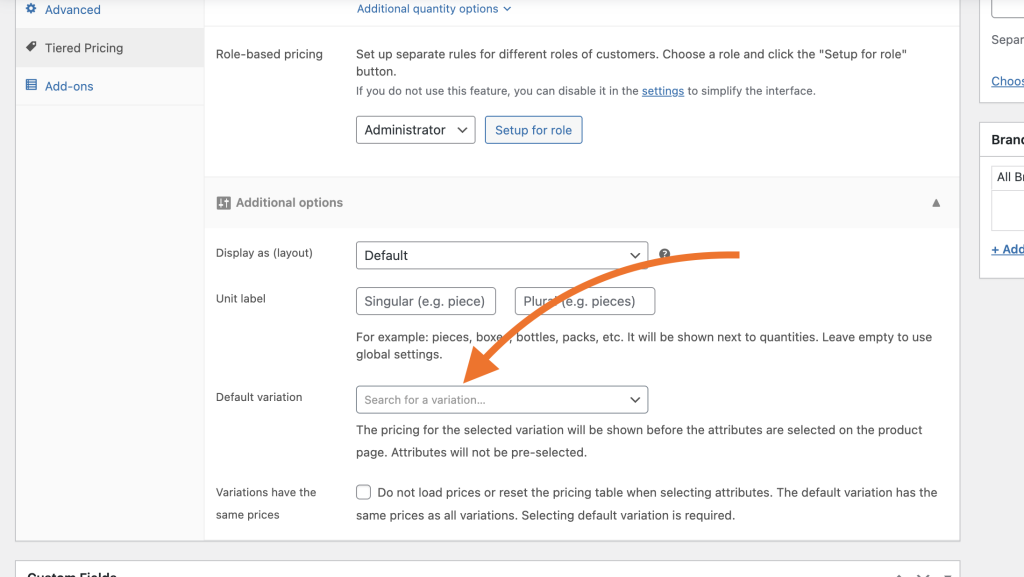
If you don’t want the variation form to be preselected but still need the pricing to be displayed immediately, there is a specific option in the Tiered Pricing settings that allows you to select which variation will be used to display the pricing.
All variations have the same price
If all product variations have the same price, you can inform the plugin that it does not need to reload the pricing table each time a user selects a variation. Simply check the “Variations have the same prices” checkbox to optimize the plugin’s performance.
Selecting a default variation is still required (it can be any variation, since all prices are identical).