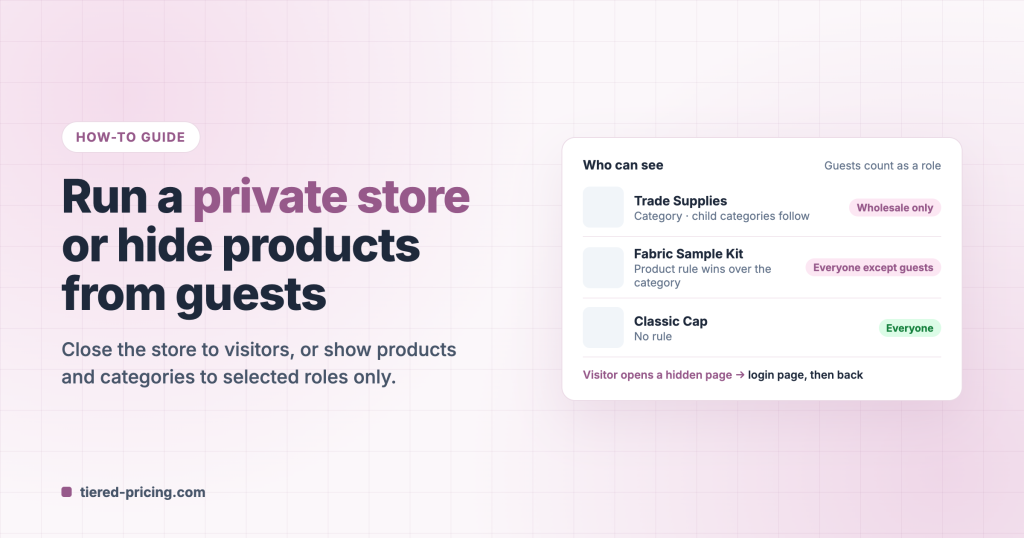
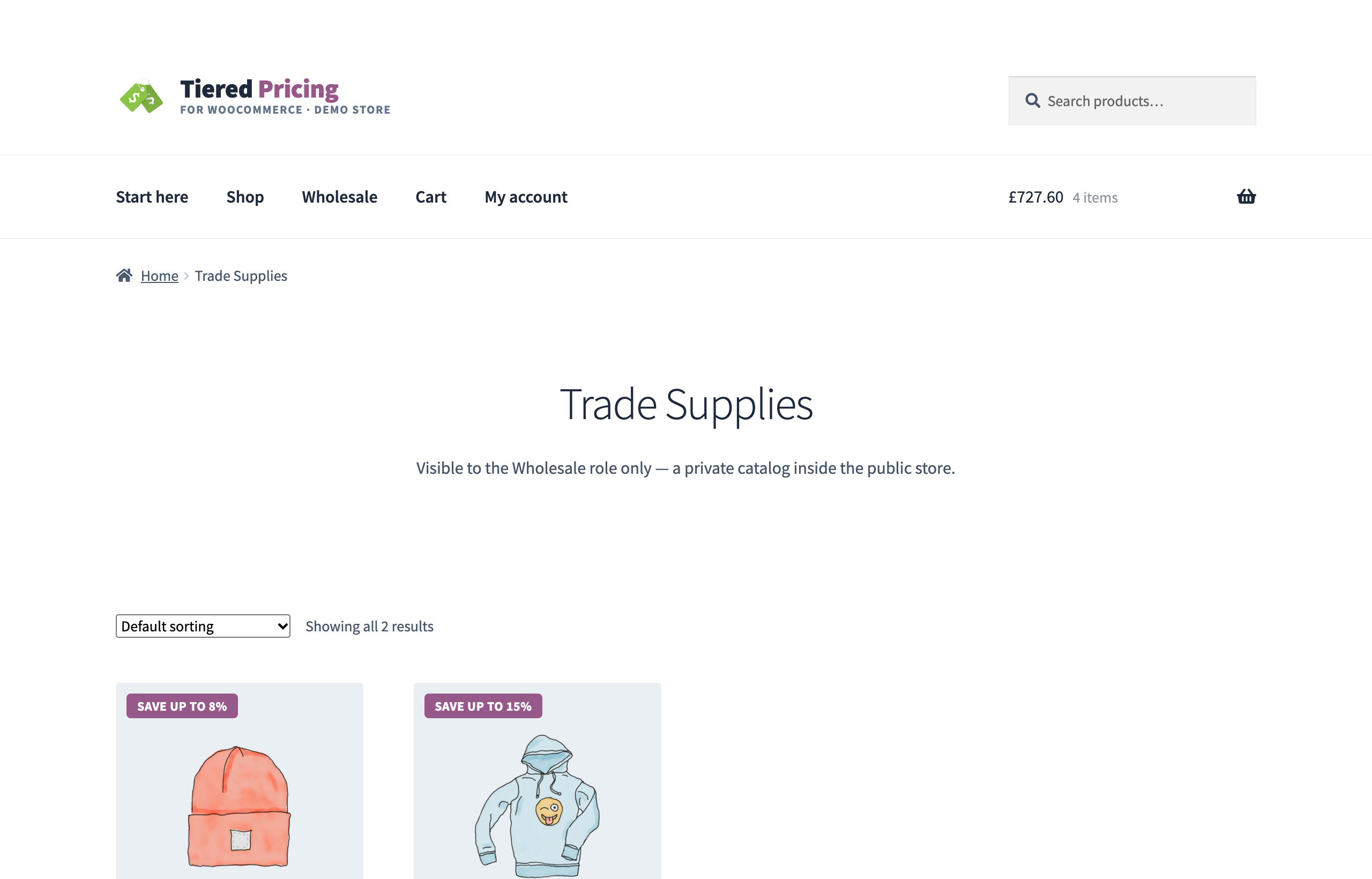
A trade catalog only approved accounts may see, a sample kit that visitors should not find, or a store that is closed to anyone without a login: Tiered Pricing Table for WooCommerce handles all three from one settings group, with no extra plugin. This guide uses the demo store: the Trade Supplies category is visible to the Wholesale role only, the Fabric Sample Kit is hidden from guests, and everything else is public.
Pick the setup you need
| You want… | Switch on |
|---|---|
| Nobody sees the store without a login | Closed store |
| Some products or categories only for wholesale accounts | Catalog visibility by role, then a Who can see rule on the category or the product |
| Products that guests must not see, but every logged-in customer may | A Who can see rule: Everyone except → Guests |
| Prices hidden from visitors, the catalog itself stays public | The Guest Users options at the end of this guide |
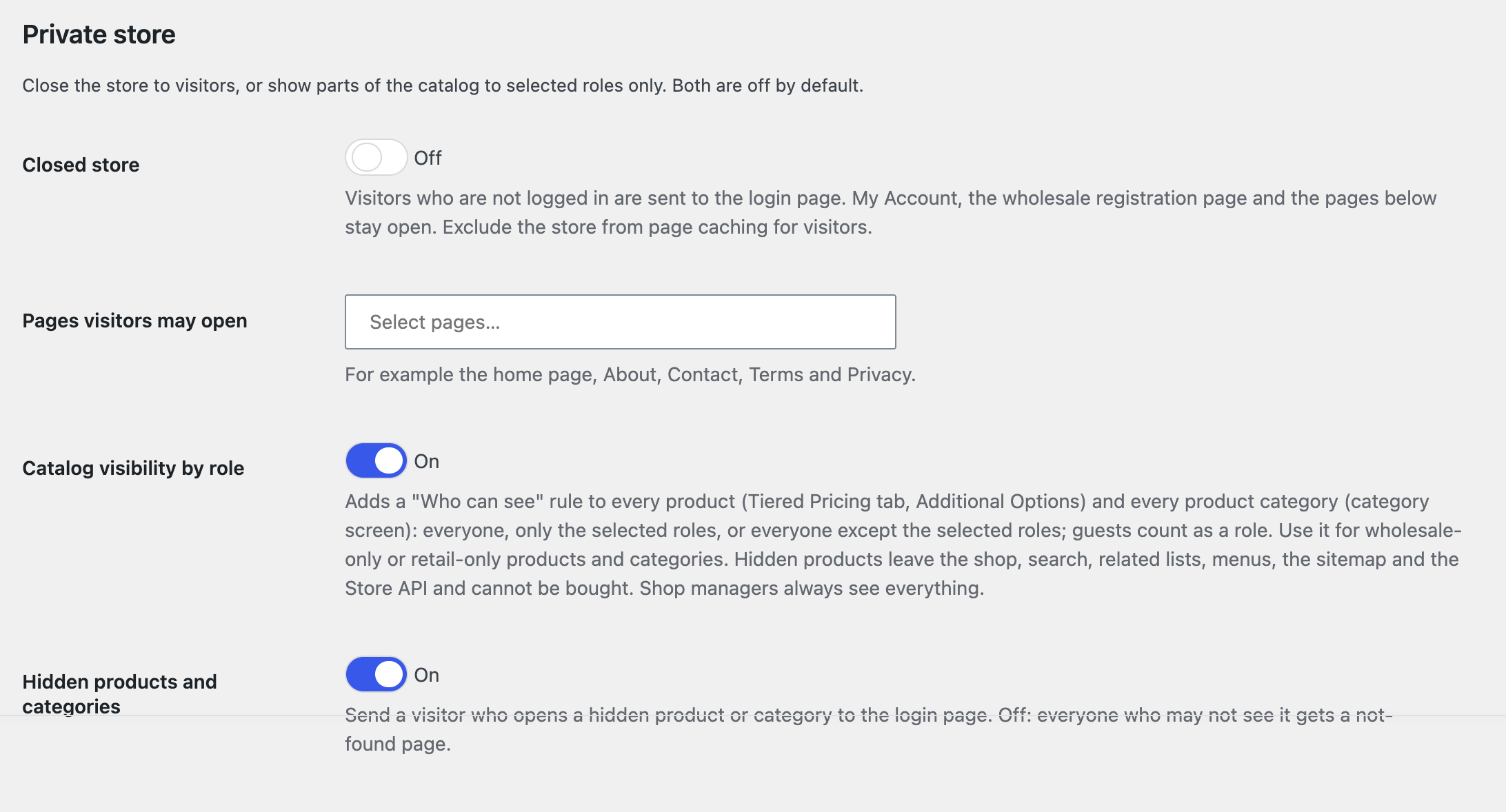
Both switches live under WooCommerce → Settings → Tiered Pricing → Wholesale → Private store. Both are off until you turn them on, and both are part of the free plugin.
Option 1: Close the store to visitors
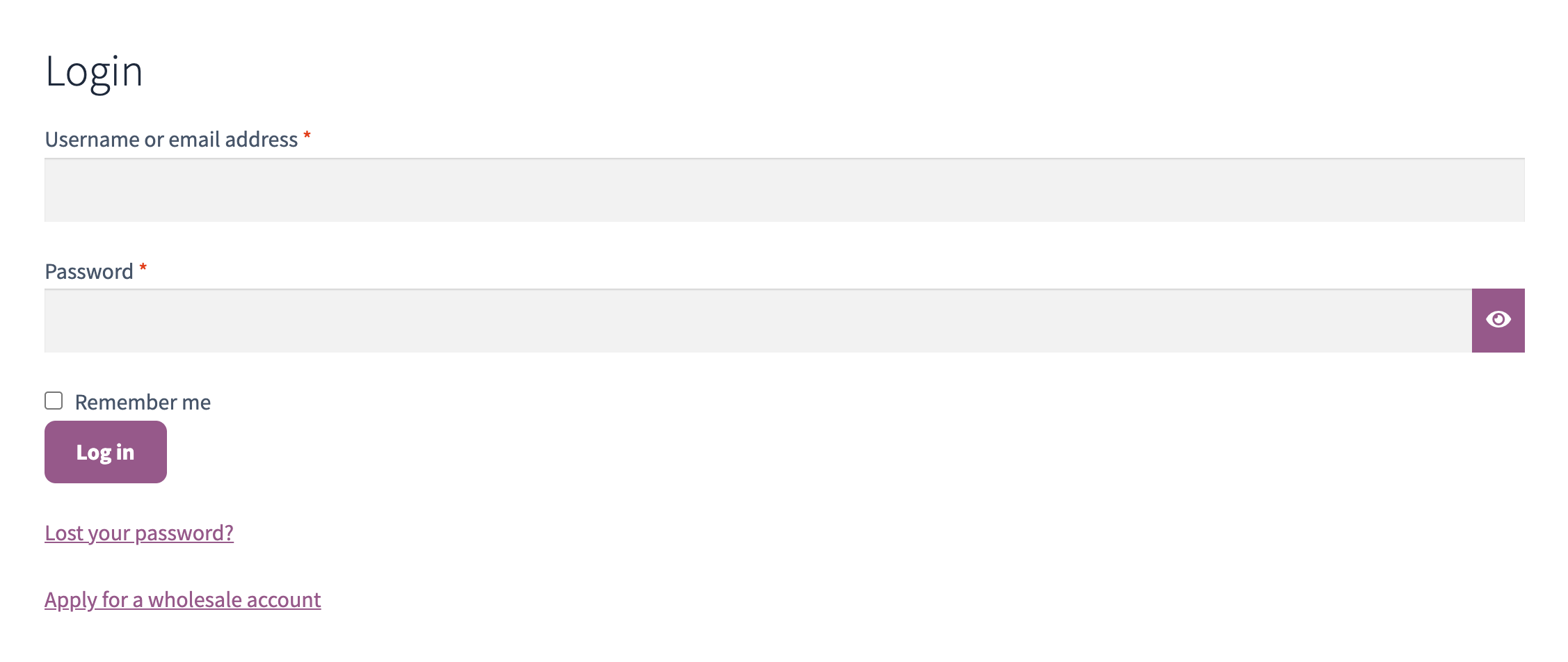
Switch on Closed store. A visitor who is not logged in is sent to the login page and comes back to the page they wanted after the login. My Account and the wholesale registration page stay open, and so does every page you list under Pages visitors may open, so the home page, an About page or the terms can be read without an account. Feeds and not-found pages are not redirected, and the Store API gives visitors no product data.
Combined with wholesale registration, this is the classic trade-only store: visitors see a login form with an Apply for a wholesale account link, and nothing else.
Option 2: Show parts of the catalog to selected roles
Switch on Catalog visibility by role. Every product category and every product gets a Who can see rule with three modes: Everyone, Only the selected roles and Everyone except the selected roles. Guests count as a role, so wholesale-only, retail-only and members-only catalogs are all possible.
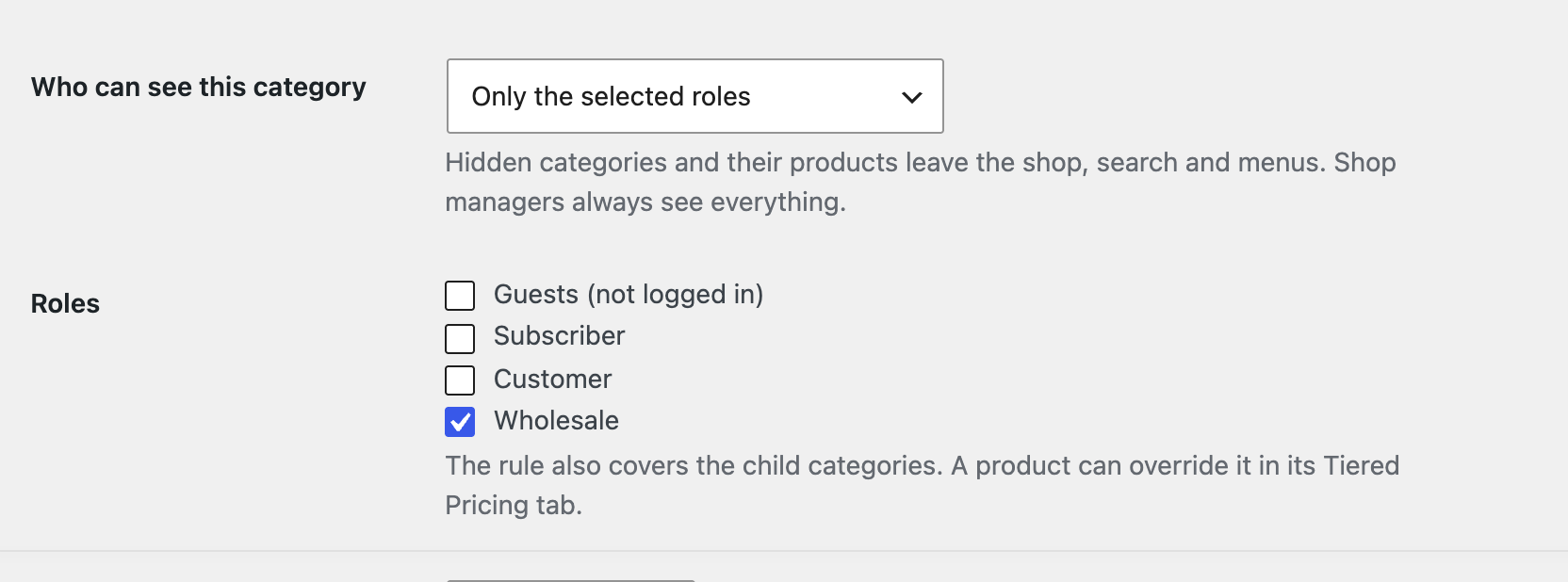
A category for one role. Open the category under Products → Categories, set Who can see to Only the selected roles and tick the role. The rule covers the child categories and every product in them.
One product with its own rule. Open the product, go to the Tiered Pricing tab and open Additional options. The product’s own rule wins over its categories, so a product in a public category can still be hidden from guests, and a product in a wholesale-only category can be opened to everyone.
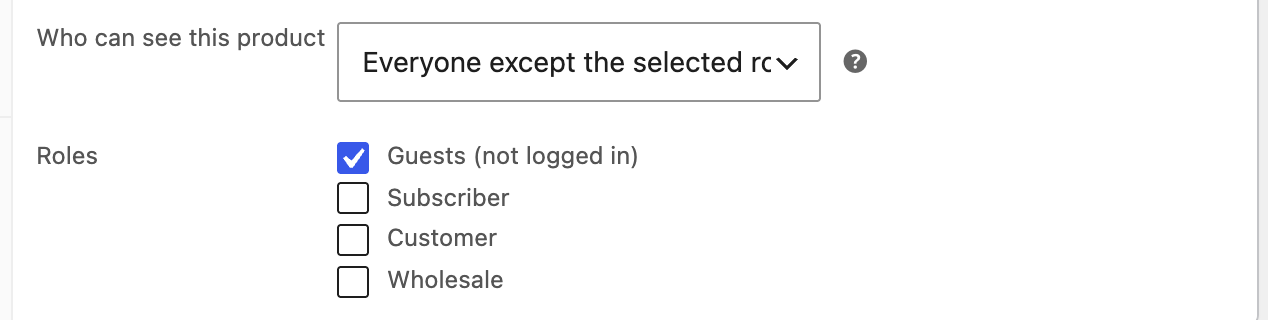
A product without a rule follows its categories, parents included, and every category rule must let the visitor through.
What a hidden product or category means
- It leaves the shop, the search, the related, upsell and cross-sell lists, the menus, the sitemap and the Store API, cannot be bought and is removed from an existing cart.
- A hidden category also leaves the category lists, the menus, the breadcrumbs and its archive.
- A visitor who opens a hidden page goes to the login page and comes back after logging in (the Hidden products and categories switch). With the switch off they get a not-found page. A logged-in customer who may not see the page always gets a not-found page.
- Shop managers and administrators see everything, so check the storefront in a private window or with a customer account.
Check a large catalog at a glance
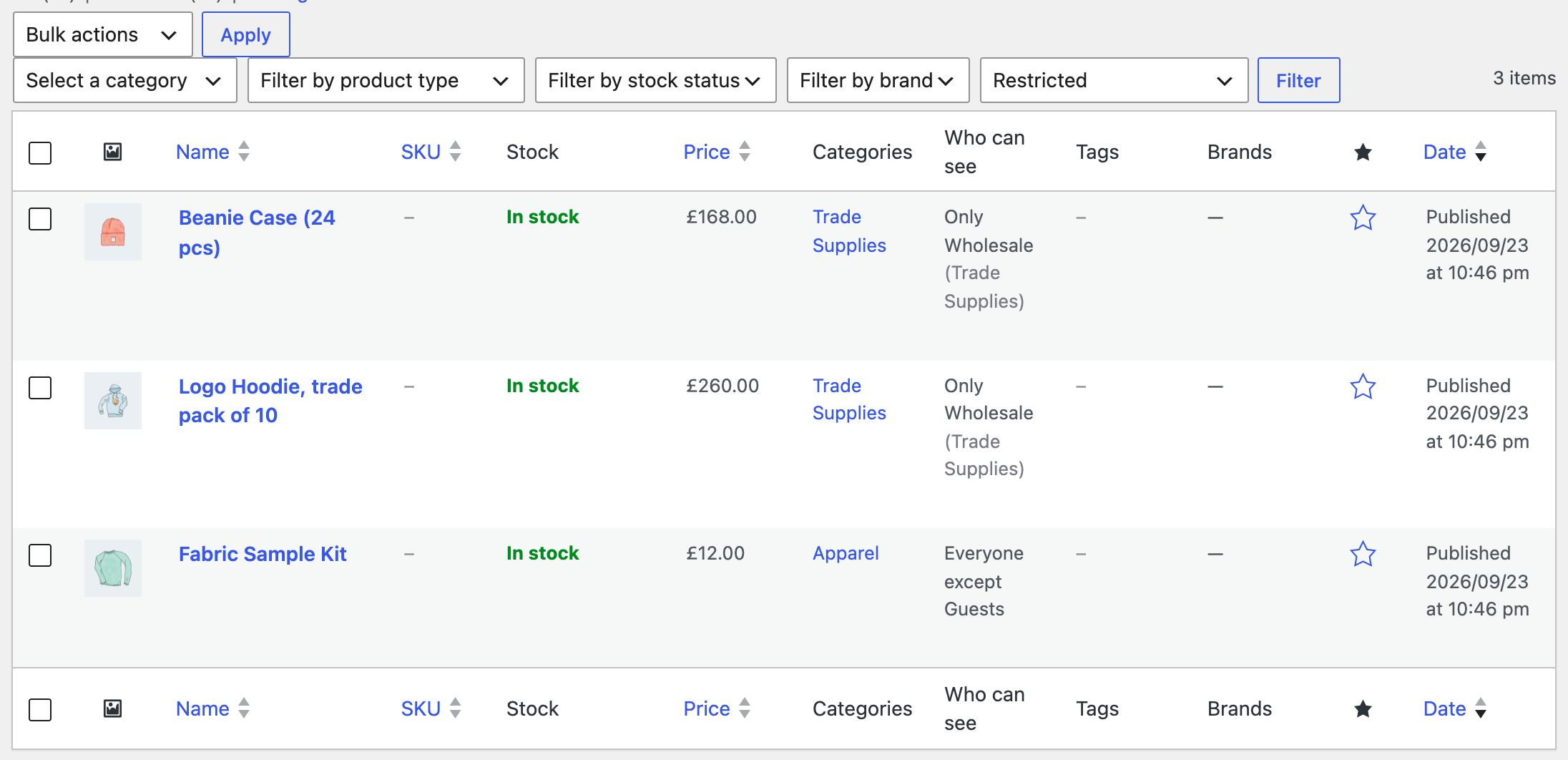
The products list and the categories list show a Who can see column with the product’s own rule, or the category rule it follows. The products list can also be filtered: everyone, restricted, or hidden from a given role.
Hide prices instead of products
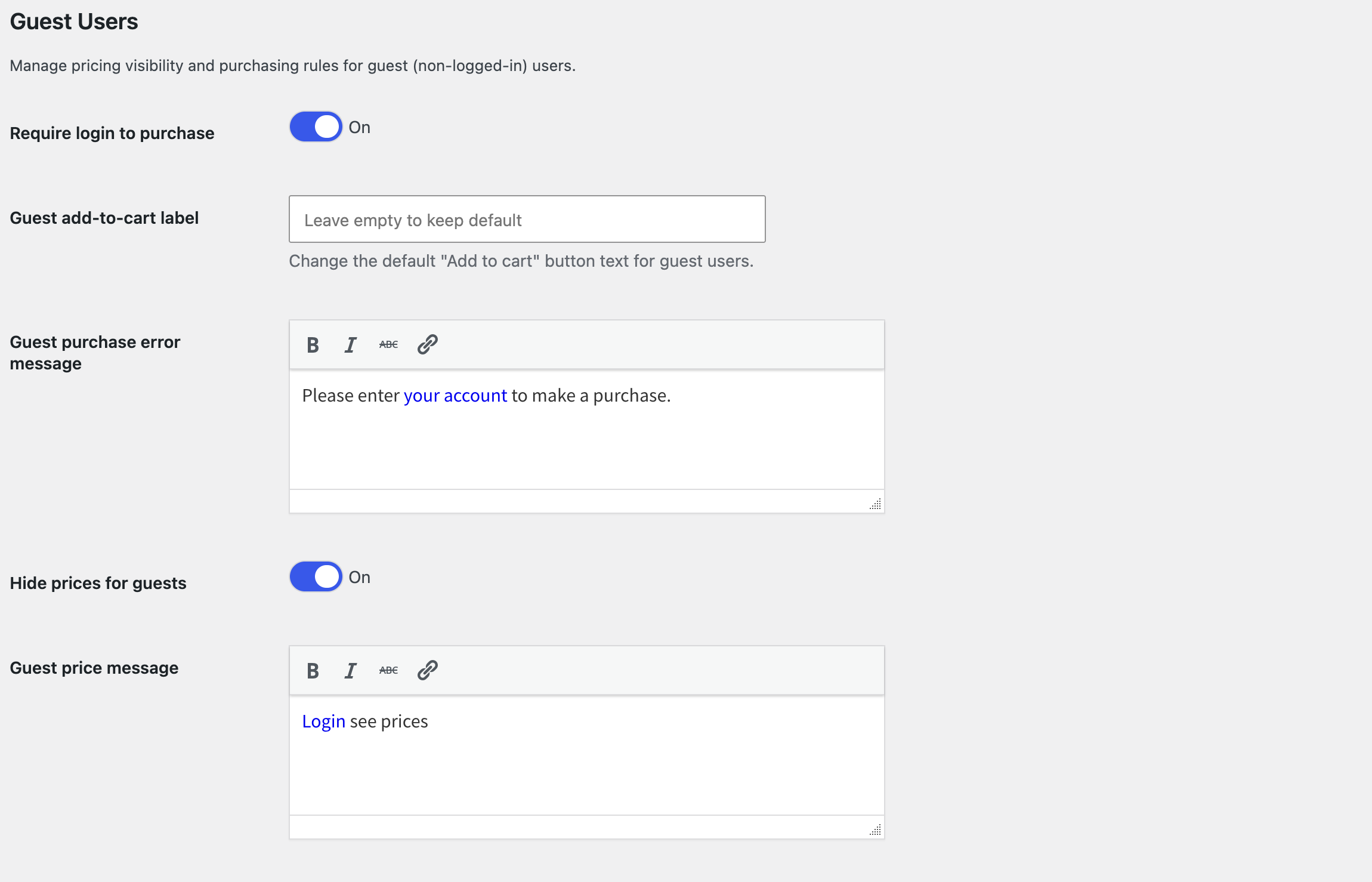
If the catalog may stay public but the prices may not, use Settings → Wholesale → Guest Users instead: Hide prices for guests replaces every price with a message (put a login link in it), and Require login to purchase disables the add-to-cart button for visitors. Logged-in customers see the retail prices; wholesale accounts see their own.
Page caching
A closed store and hidden products depend on who is logged in. Exclude the store from page caching for visitors, or the cache may serve a visitor a page made for a customer, and purge the cache after changing these settings.
Disable what you don’t use
The private store options belong to the Wholesale & Guest Users module. If you never sell wholesale, switch the whole module off under Settings → Advanced → Modules.